Tesla's official Cybercab First Responder Interaction Plan has surfaced — and credit where it's due: shoutout to @mehauff7 and @davidmoss on X, who've both been on this from day one, along with @scotsrule08 for keeping the community plugged in. These are the people who find the stuff before anyone else does. We mentioned @mehauff7 in our last piece on this and here they are again, delivering.
The doc is version 1.0, dated June 22, 2026 — which means this is current, official, and applies to every Cybercab rolling through your city right now. We've got the full gallery of pages over on our Specs page if you want to flip through it yourself. Here's what's actually interesting.
How to Spot One — No Mirrors, No Pedals, No Wheel
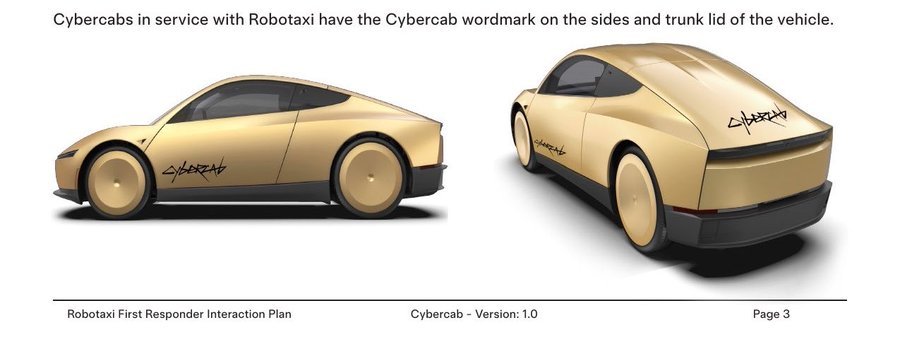
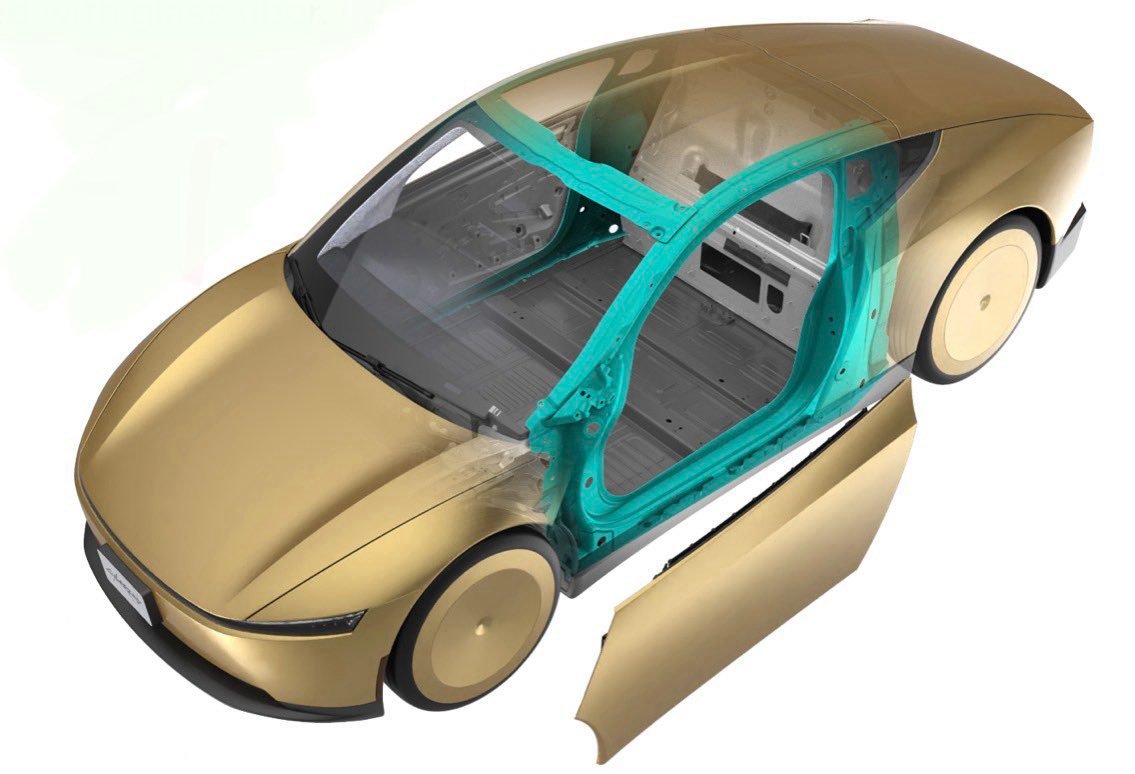
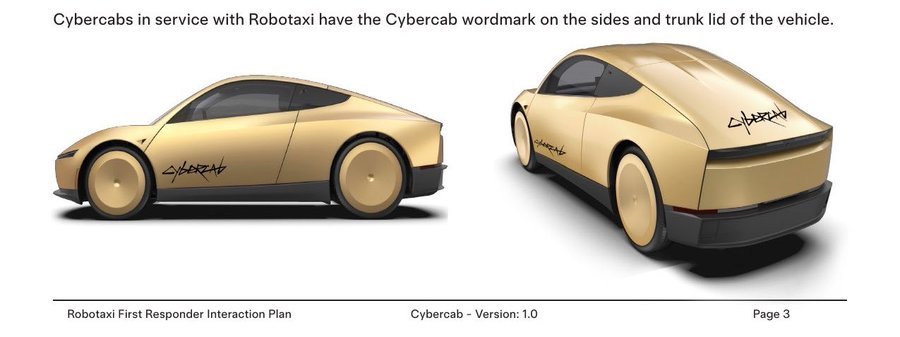
The official guide opens with a pretty fun identification section, because — apparently — first responders needed some help picking this thing out of a lineup. Fair enough. The Cybercab can be identified by its distinct light bars, large wheel covers, no side mirrors, and gold coloration. The butterfly doors open via a button on the B-pillar. It has cameras on the front fenders instead of mirrors. When it's in active Robotaxi service, it'll have the Cybercab wordmark on the sides and trunk lid.
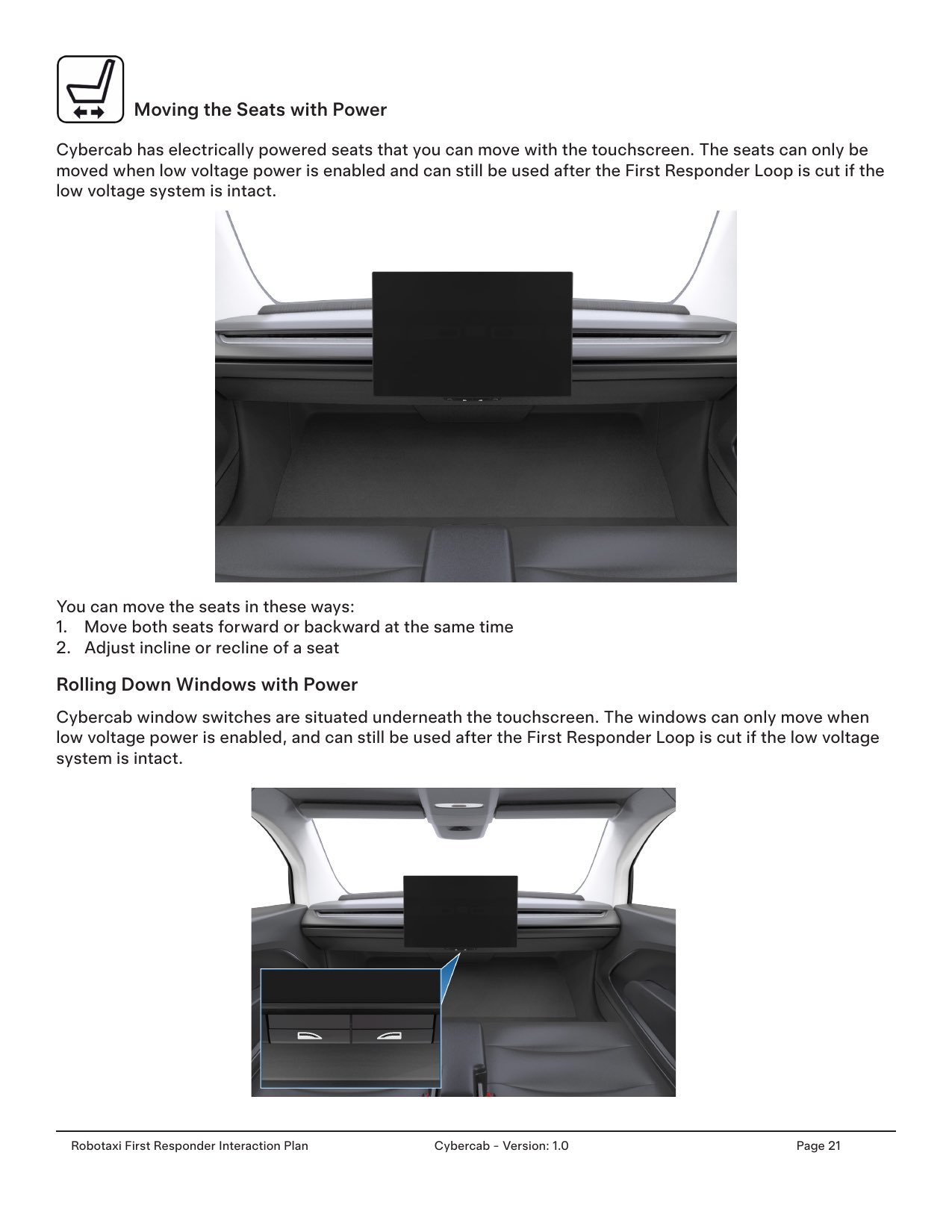
Inside: two seats, a landscape-oriented touchscreen in the center, no steering wheel, no accelerator, no brake pedals, no glovebox. Marc Williams, the Texas DOT Executive Director, put it best when he sat in one and posted on LinkedIn "no steering wheel, no accelerator, no brake. Only a single touchscreen monitor." Which, honestly, is the vibe. We are living in that world now. See all our live Cybercab sightings on the map over 100 spotted across more than 40 cities.
Wait, There's a Version With a Steering Wheel?
Here's the one most people are sleeping on: there's a Cybercab variant. A number of units in the testing fleet are equipped with hardware for manual operation — a steer-by-wire steering wheel, electronic acceleration and brake pedals on the driver's side. These are for "testing and validation of safety systems," per the document.
Key differences in the variant:
- A steer-by-wire steering wheel is present on the left (driver's) side
- Electronic acceleration and brake pedals are present on the driver's side
- The front airbag for the driver side is moved inside the steering wheel
- Additional low voltage cabling is present to support the steering wheel and airbag
- Additional support structures are present for the steering column
- A child safety seat can no longer be secured on the driver side
Tesla notes that all direct hazards are otherwise the same across variants produced starting April 2026. So if you're a first responder and you pull up to one of these and see a steering wheel — that's not a regular Cybercab. Call Tesla Robotaxi First Responder Support before touching anything. These units have been showing up in sightings across multiple cities — check the map and see if you've spotted one.
The Cybercab Can See and Hear Emergency Vehicles
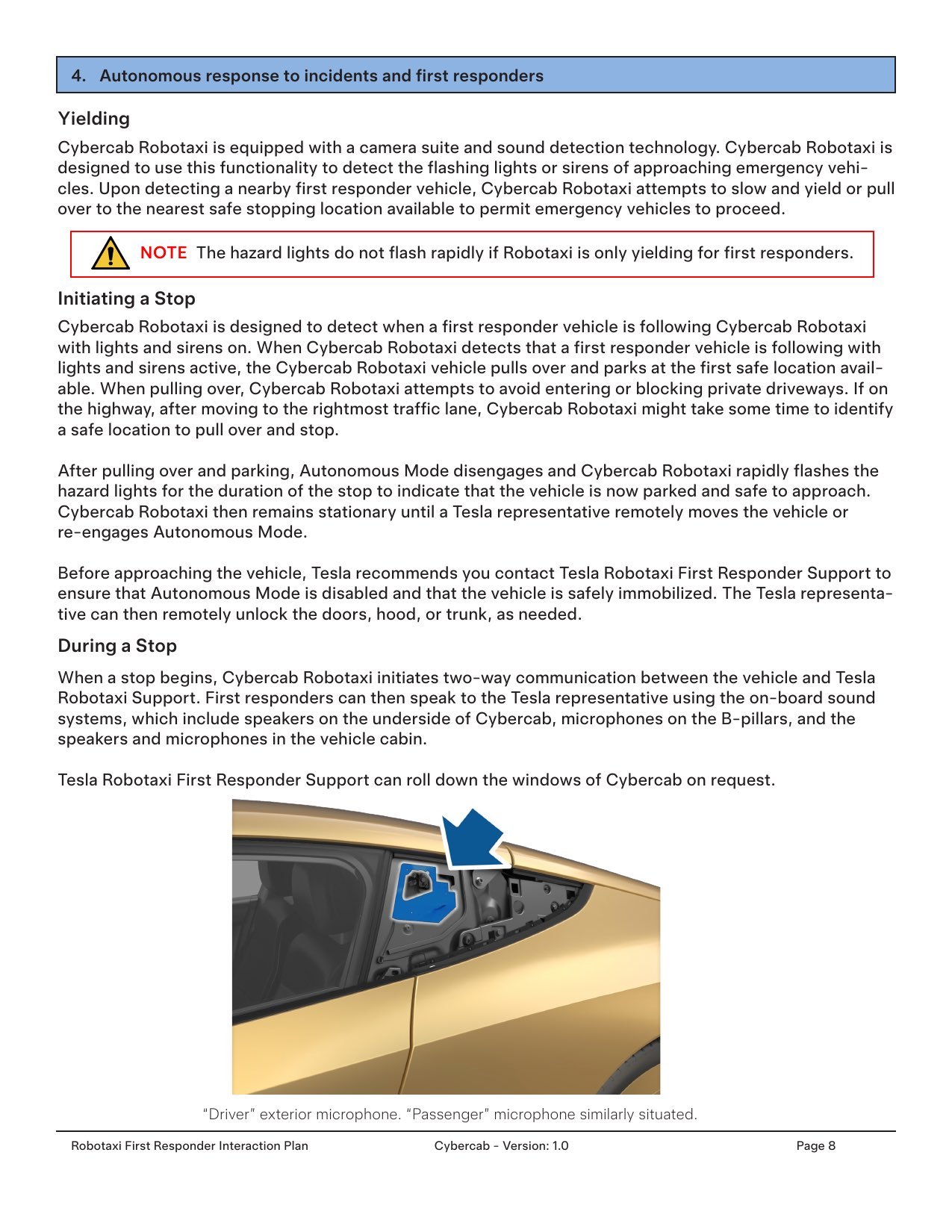
This part is actually kind of impressive. The Cybercab Robotaxi runs a camera suite plus sound detection technology — it's designed to detect both the flashing lights and the sirens of approaching emergency vehicles simultaneously. When it detects a nearby first responder vehicle, it attempts to slow down, yield, and pull over to the nearest safe stopping location.
One key note for first responders: the hazard lights do not flash rapidly if Robotaxi is only yielding they save the rapid flashing for when the vehicle has fully pulled over and parked. Once it stops, Autonomous Mode disengages, the hazards go full strobe, and the vehicle stays put until a Tesla representative remotely moves it or re-engages Autonomous Mode.
While it's stopped, the Cybercab initiates two-way communication between the vehicle and Tesla Robotaxi Support first responders can speak to the Tesla rep through the vehicle's onboard sound system. Speakers are under the vehicle, microphones are on the B-pillars and in the cabin. Tesla Robotaxi Support can also remotely roll down the windows on request. That's a pretty sophisticated emergency response protocol for a car with no driver in it.
Geofencing — Calling Tesla to Clear an Area
This one's useful. If there's a road closure, construction zone, or emergency scene and you need to keep Cybercabs out of the area, there's a process for that. First responders can call Tesla Robotaxi First Responder Support and request a geofence — you provide your name, agency, badge number, the location, reason for closure, and how long you need it blocked.
Tesla then establishes a temporary geofence that blocks Robotaxi service within 1,000 feet of the location for approximately 1 hour, unless a longer duration is specified. Extensions are available. It's basically a digital "no-go zone" that gets pushed to every Cybercab in the area in real time. That's a surprisingly clean solution for something most people assumed would be chaotic.
The Full Cybercab Spec Sheet
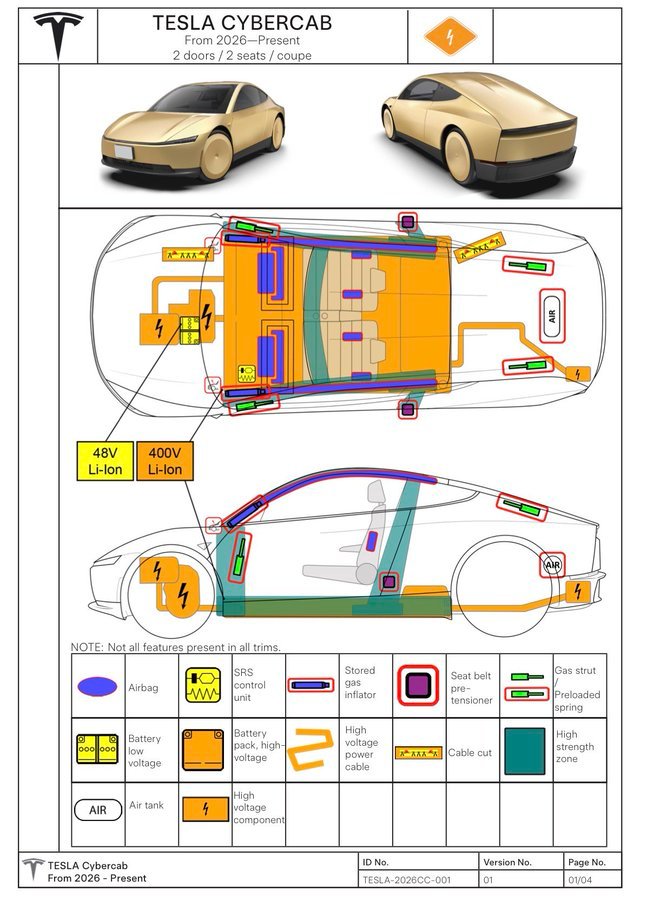
Since we're in here, let's hit the confirmed hardware. These numbers are from the EPA filing and verified by the First Responder guide — see the full Cybercab Specs page for the complete comparison table against the rest of the Tesla lineup:
- Drivetrain: Front-wheel drive, single motor
- Battery capacity: ~48 kWh (48V + 400V Li-Ion dual system)
- Horsepower: 219 hp
- Motor power: 163 kW
- Voltage: 326V
- Curb weight: 3,113 lbs (1,412 kg)
- GVWR: 3,730 lbs
- EPA lab range: 418 miles (375 miles highway combined)
- Tesla's real-world estimate: ~300 miles
- Efficiency: ~165 Wh/mi — the most efficient production EV ever built
Airbags, High Voltage, and What Not to Cut
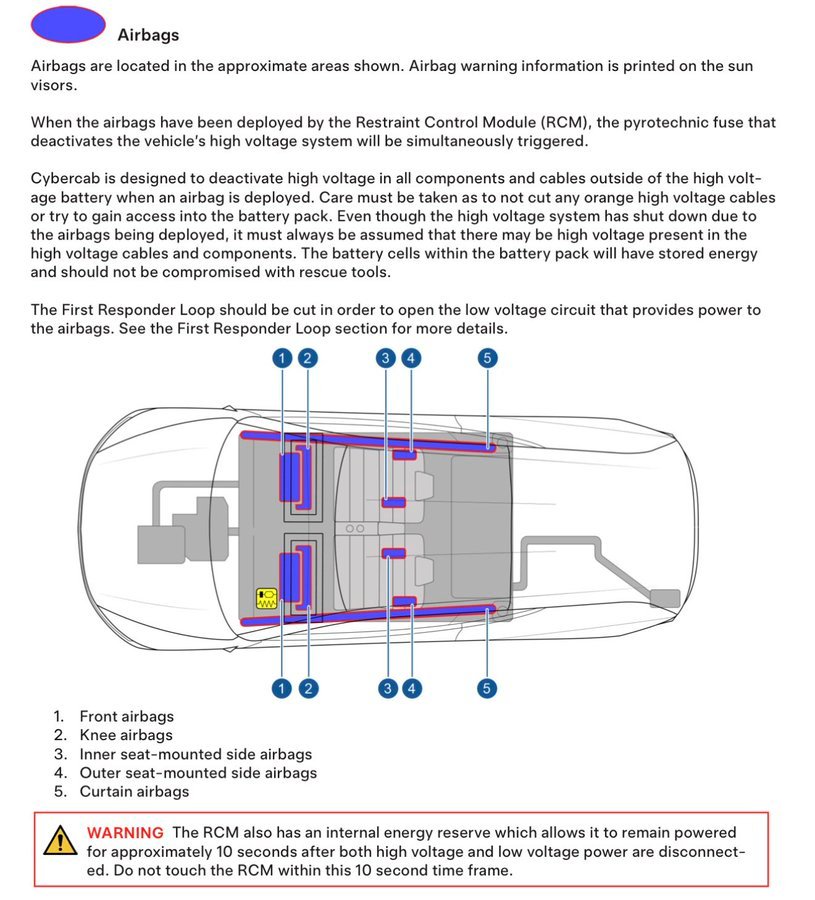
The airbag section is dense with safety detail. The Cybercab runs five airbag zones: front airbags, knee airbags, inner seat-mounted side airbags, outer seat-mounted side airbags, and curtain airbags. When any airbag deploys, the Restraint Control Module (RCM) simultaneously triggers a pyrotechnic fuse that deactivates the high voltage system.
Important: even if the high voltage system has been shut down by the airbags, the guide is explicit — always assume high voltage may still be present in the orange cables and components. Do not cut orange cables. Do not try to access the battery pack with rescue tools. The RCM also has an internal energy reserve that remains powered for approximately 10 seconds after both high and low voltage are disconnected don't touch it in that window.
How to Tow a Cybercab (It's a Little Different)
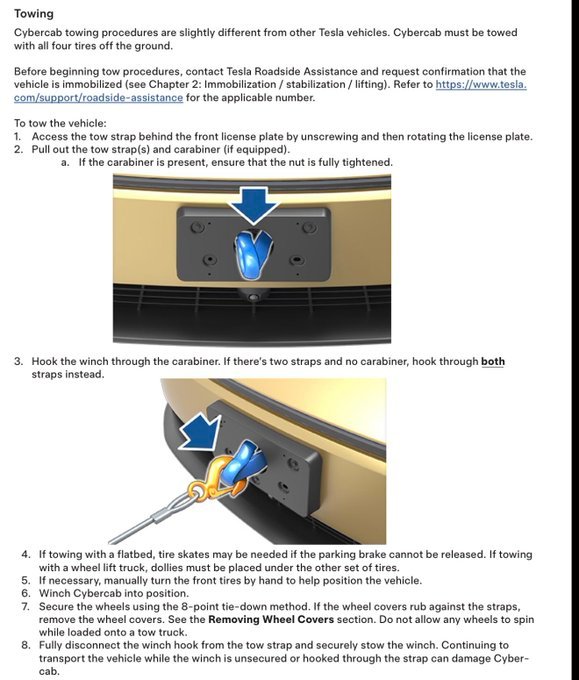
The towing section is one of the more quirky parts of the guide. Cybercab towing is "slightly different from other Tesla vehicles" — the tow strap is accessed by unscrewing and rotating the front license plate. Pull out the tow straps and carabiner. If the carabiner is present, make sure the nut is fully tightened before hooking the winch through it. If there are two straps and no carabiner, hook through both.
A few critical things the guide flags: the vehicle must be towed with all four tires off the ground. If you're using a flatbed, tire skates may be needed if the parking brake can't be released. Use the 8-point tie-down method. If the wheel covers rub against the straps, remove them before loading. And once the winch is hooked do not continue moving the vehicle while the winch is unsecured or still hooked through the strap. That can damage the Cybercab. Contact Tesla Roadside Assistance before starting any tow procedure to confirm the vehicle is immobilized.
Speaking of Moving Cybercabs — The Tesla Semi Does It in Bulk
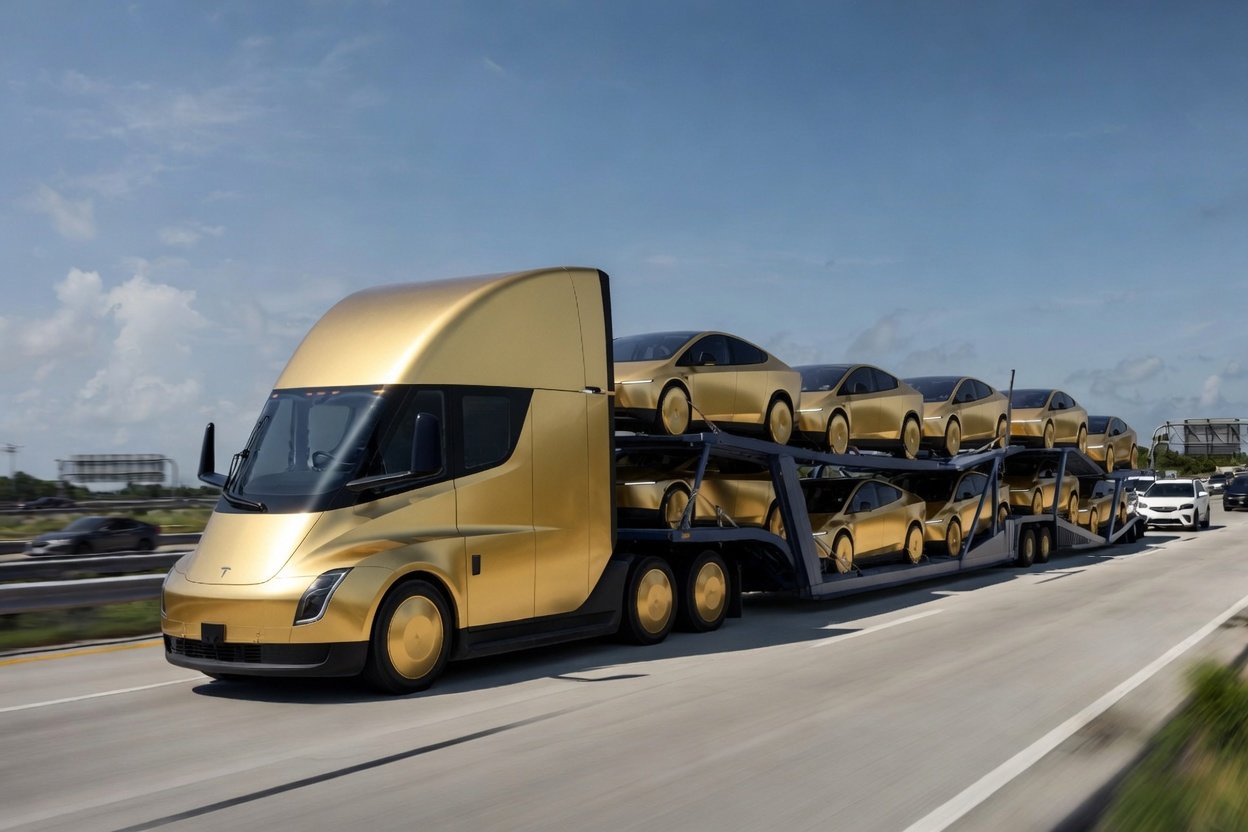
Here's a fun one we did the math on. The Cybercab tips the scales at 3,113 lbs curb weight. The Tesla Semi — now in high-volume production as of April 2026 — has a payload capacity of roughly 48,000 lbs (Standard Range) or 45,000 lbs (Long Range) after accounting for a typical flatbed trailer.
Do the math: a Tesla Semi could physically haul approximately 14–15 Cybercabs on a single flatbed run. At highway speed. Electrically. That's not a joke that's just the physics of a 3,113-lb robotaxi versus a truck rated to 82,000 lbs gross combined weight. The Semi is essentially the electric backbone that delivers the electric taxis. Tesla built the whole ecosystem. Check out the full Tesla Semi specs at TeslaSemi.com if you want to go down that rabbit hole.
The Stored Gas Inflators You Definitely Shouldn't Cut
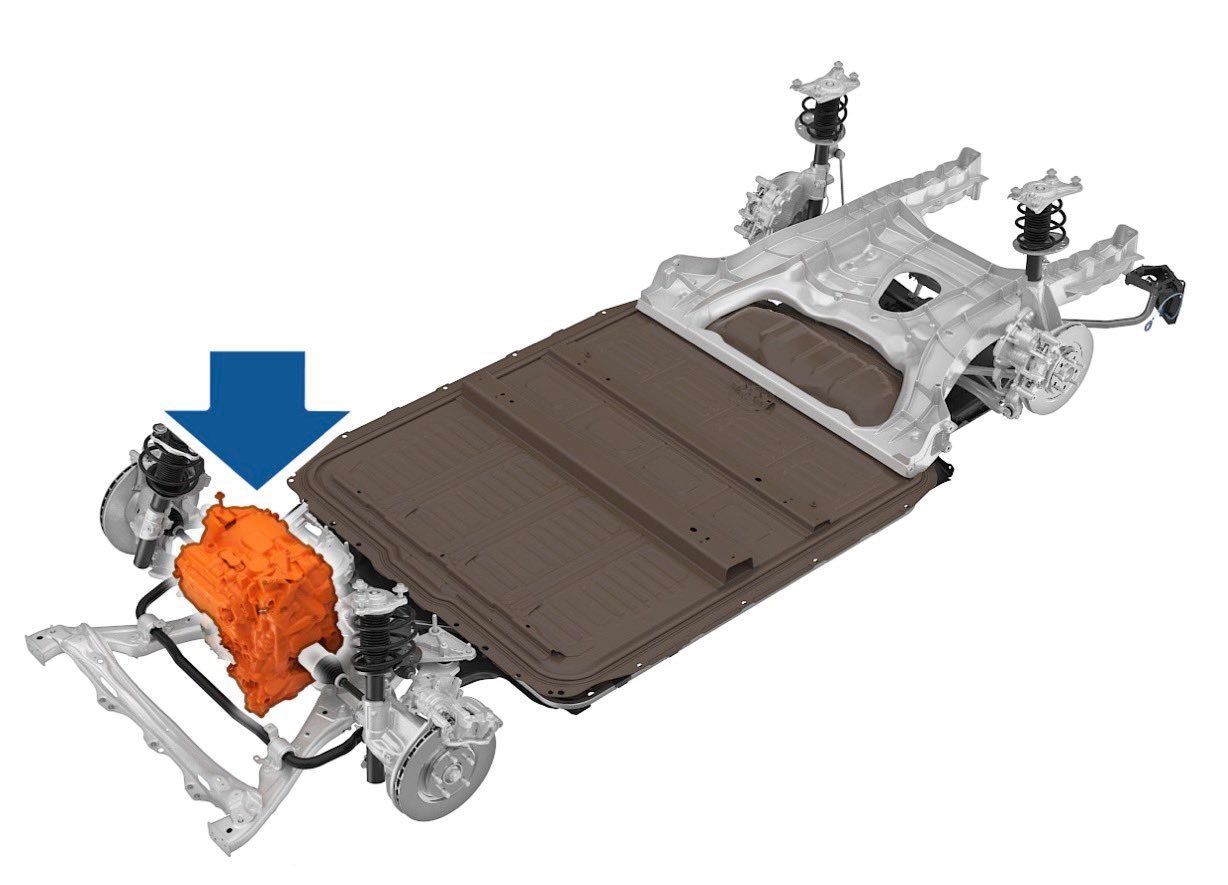
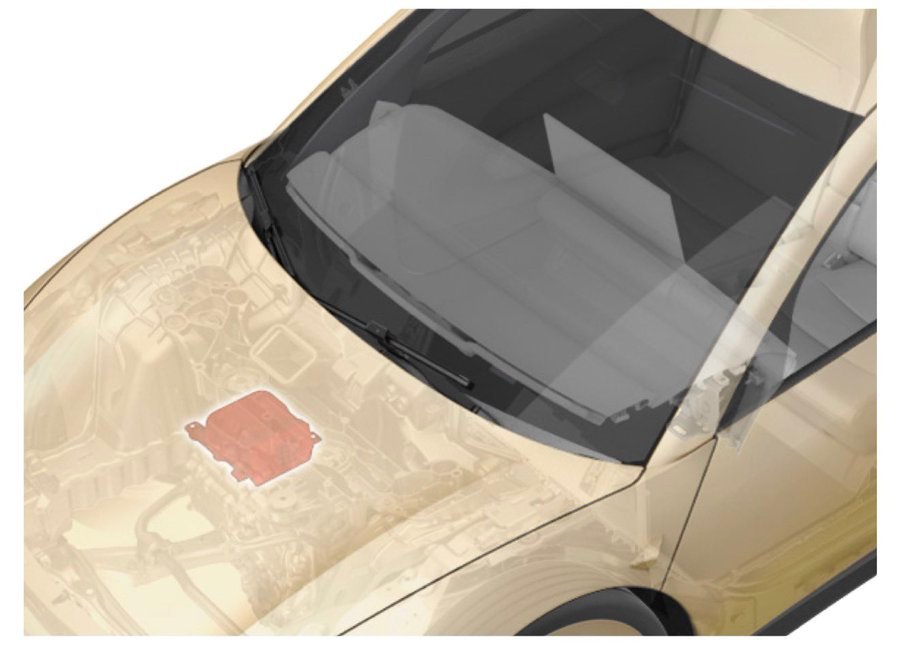
Last safety note and the guide is emphatic about this one. The Cybercab has stored gas inflators (outlined in red in the diagrams) located near the roof toward the front of the vehicle, plus a pressurized air canister between the rear wheels with hoses distributed throughout. The guide has a full-caps WARNING: rescuers should never cut or crush inflation cylinders. Cutting or compressing them causes catastrophic failure, leading to injury or death. The RCM backup power warning applies here too 10 seconds, don't touch it.
The Bottom Line
The Tesla Cybercab First Responder Interaction Plan is a 20+ page document that tells you everything about how this vehicle was designed to operate in the real world — not just in a demo. It handles emergency scenarios, geofencing, airbags, variants, towing, and two-way communication, all for a car that has no driver, no steering wheel, and no glovebox. This is not a concept document. Version 1.0 dropped June 22, 2026. The Cybercab is already out here.
We've been tracking it since day one — over 100 sightings across 40+ cities logged by this community. Check the live map, browse the full specs and first responder gallery, and if you spot one — add it. Big props again to @mehauff7, @davidmoss, and @scotsrule08 on X — the community researchers who keep surfacing this stuff before the mainstream catches on.
Cheer - JavierJose